


Cancelled, Not Uninstalled: The Difference Between an Exit and a Pause
When a subscriber cancels, the churn report often treats the event as final. The revenue forecast adjusts downward, and the user may be filed as lost.
Very often, the app is still on the device. Cancelling a subscription switches off its automatic renewal, while uninstalling removes the app. These are separate events, typically tracked by different systems. A cancelled subscriber who still has the app installed may remain reachable through in-app messaging, push, and paid retargeting, depending on identifier availability, consent, and platform-level restrictions.
That makes a cancellation closer to a pause than an exit, and a pause can be reversed. The sections below follow the path from cancellation to uninstall, look at what the data says about subscribers who come back, and set out what it takes to target a user who is paused rather than gone.
The Five Stages Between Cancelling and Uninstalling
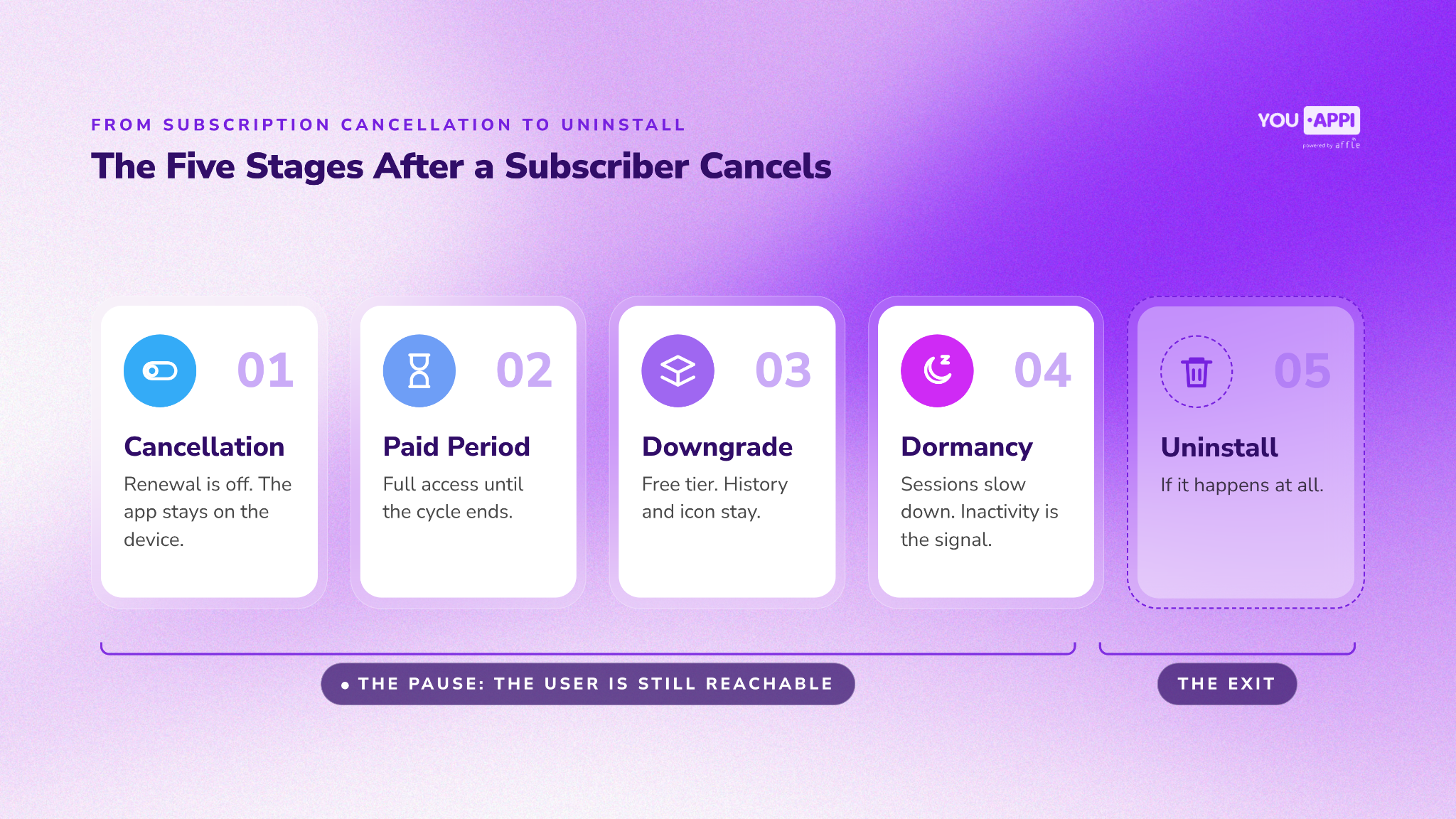
Between cancelling and uninstalling there is a sequence rather than a single moment. Each stage carries a different subscription status, a different level of intent, and a different reachability profile.
- The cancellation. The user turns off renewal through the store that bills the subscription or a web account page, usually outside the app. Nothing changes on the device, and the subscriber is cancelled but not yet expired.
- The remaining paid period. Access continues until the paid cycle ends, which can mean weeks on a monthly plan or months on an annual one. Sessions may look exactly like those of a subscriber about to renew.
- The expiration. The paid period closes and the subscription expires. Some apps move the user to a free tier, while others restrict premium features or the entire service.
- Dormancy. Usage fades gradually. In-app messaging can only engage users when they open the app, making push and paid retargeting important channels for reaching dormant users. Not every pause has the same cause, which is why churn type matters as much as recency.
- The uninstall, when it happens at all. A separate decision, often taken weeks or months later, that removes the app from the device.
How Many Churned Subscribers Come Back
If subscription churn were always permanent, very few subscribers would ever come back. RevenueCat's State of Subscription Apps 2026, built on more than 115,000 apps, measures exactly that through its reactivation rate, defined as “the share of churned subscribers that become active in the 12 months following a churn event.” The results:
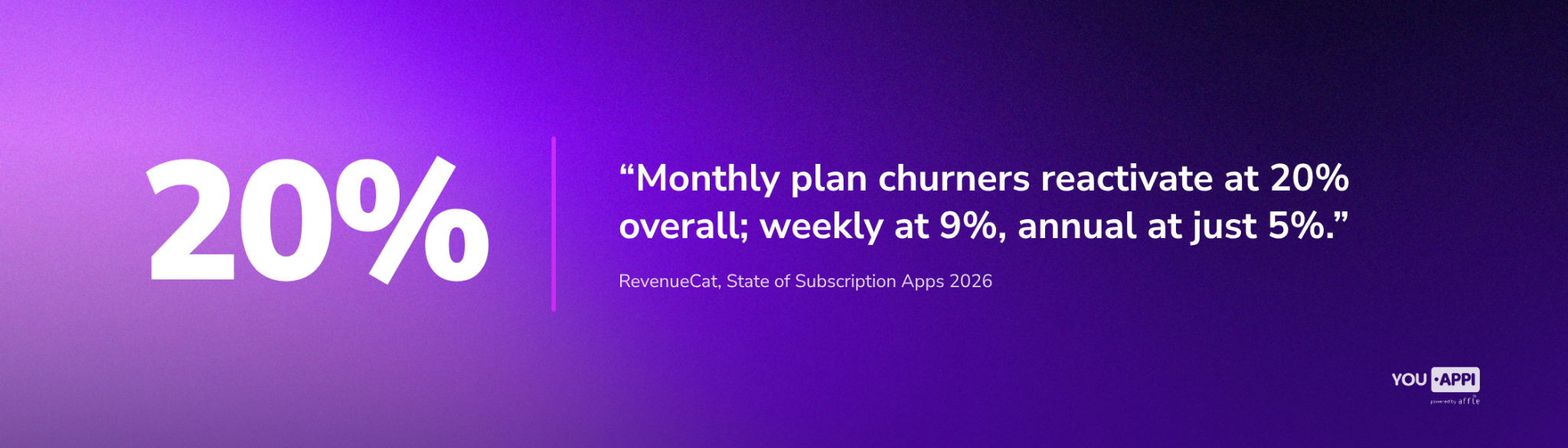
- Plan length shapes the return. In the report’s words, “Monthly plan churners reactivate at 20% overall; weekly at 9%, annual at just 5%.”
- The pattern holds across regions. Monthly reactivation ranges from 18% to 24% across geographies, with North America at the low end of that band.
- Price tier matters. High-priced monthly subscriptions reactivate at 28.9%, against 15.4% for low-priced and 12.4% for mid-priced plans.
These figures cover every churned subscriber, not only those who kept the app, and they do not measure what brought anyone back. What they do show is that subscription churn is often not permanent. When a former subscriber decides to return, an app that never left the device removes much of the friction, with no reinstall, no new onboarding, and the paywall one tap away.
The Share of Churn That Was Never a Decision
Not every churned subscriber chose to leave. According to RevenueCat, billing errors account for 32.2% of subscription cancellations on Google Play, compared with 15.2% on the App Store.
These are expired cards, declined charges, and payments that did not go through. A billing failure does not necessarily reflect a decision to stop using or paying for the product, although it is not proof that every affected user still wants the subscription. Both platforms offer billing recovery mechanisms, including payment retries and, where applicable, grace periods, to help recover failed subscriptions before access expires.
A declined card and a considered cancellation produce the same line in the churn report. They do not describe the same user, and they do not respond to the same campaign.
For an Android-heavy portfolio, that distinction carries real weight, and it extends beyond billing. Each cause of churn calls for its own response:
|
Churn cause |
Re-engagement approach |
|
Billing failure |
Payment recovery messaging |
|
Voluntary cancellation |
Value proposition and win-back messaging |
|
Expired subscription |
Reactivation campaigns |
|
Dormant user |
Behavioral retargeting based on previous engagement |
What Targeting a Pause Actually Requires
Separating an exit from a pause only pays off if the targeting can act on it. Static lists exported on a schedule fall behind, because users move between subscription statuses faster than the list gets rebuilt. Five capabilities do most of the work:
- Dynamic segmentation. Audiences refresh as new in-app and subscription events are ingested and synced. For Murka Games, a retargeting strategy built on dynamic audience lists and predictive churn modeling delivered a 330% increase in D7 ROI.
- Predictive scoring. Churn-risk models flag active subscribers likely to cancel, while reactivation models flag lapsed users likely to return.
- Inactivity windows in context. Inactivity works best read alongside subscription status, cancellation and expiration dates, and in-app events. Mytona used a seven-day window for lapsed paying users as part of a strategy that lifted D3 ROI by 38%.
- Cross-screen reach. Where identity resolution or household matching is available, CTV extends the same audience to the living room.
- Suppression and exclusion. Leaving out users who already resubscribed, or who already saw an offer, cuts wasted spend.
The market is already moving this way. AppsFlyer recorded 31.3 billion dollars in app remarketing spend in 2025, up 37% year over year. The CTV and Mobile 2026 Growth Guide covers how those budgets are being split.
Start With the Pause
An exit happens on the device, when the app is removed. Everything before that, from the cancellation through expiration and the slow fade of dormancy, is a pause: the user has stopped paying, or soon will, but has not left. The churn report records both as the same event, and that is the distinction it was never built to make.
Treating a pause as an exit means writing off users with a product history and a demonstrated willingness to pay. Reaching them well depends on knowing their actual subscription status, behavior, addressability, and reason for churn, and on acting while the pause is still reversible. Rather than starting from scratch with acquisition, marketers can focus on re-engaging an existing audience through established retargeting channels.
Talk to the YouAppi team about bringing cancelled subscribers back.